
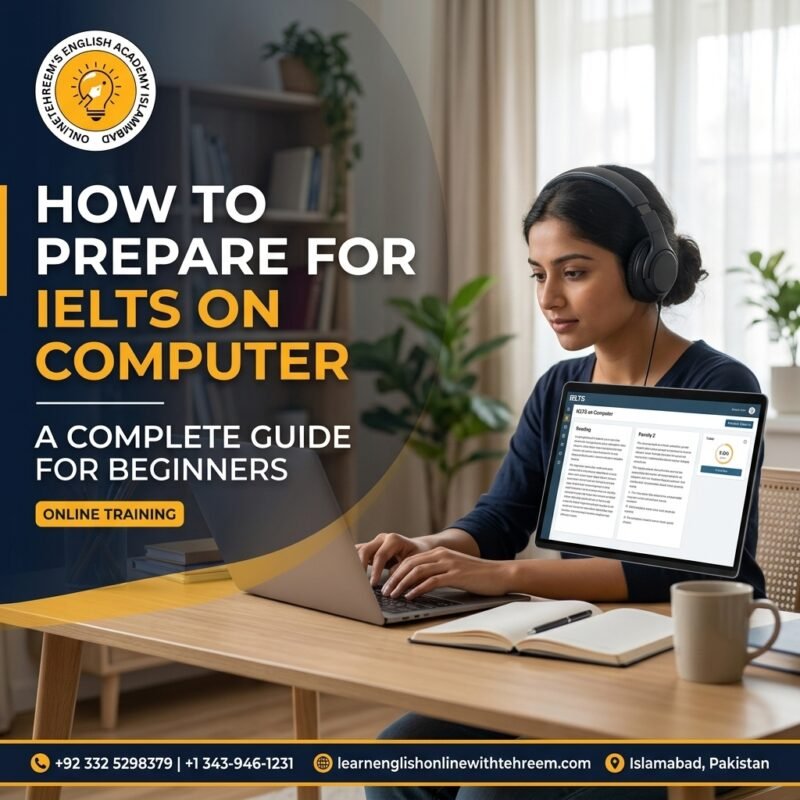
Learn how to prepare for IELTS on computer with practical tips for Listening, Reading, Writing, and Speaking, plus mock tests, time management, and exam-day strategies.
Preparing for IELTS on computer can be a convenient way to demonstrate your English proficiency for education, work, or migration. However, success requires more than strong English skills. You also need to become comfortable using a computer-based test interface, typing answers accurately, managing time, and following the instructions for each section.
If you are planning to take IELTS on computer for the first time, the format may seem unfamiliar. The good news is that you can develop the necessary skills through consistent practice and a structured preparation plan.
In this guide, we explain how to prepare for IELTS on computer, including section-specific strategies, useful practice techniques, common mistakes, and tips to help you feel more confident on test day.
What Is IELTS on Computer?
IELTS on computer is a test format in which you complete the Listening, Reading, and Writing sections using a computer. The Speaking test is generally conducted face-to-face with an examiner or, where offered, by video call, depending on the test centre and available arrangements.
The test assesses the same four English language skills as other IELTS formats:
- Listening
- Reading
- Writing
- Speaking
The key difference is how you complete the test. Instead of writing your Listening, Reading, and Writing answers on paper, you use a computer and its keyboard or other provided controls.
Before booking, check the current format, availability, and arrangements with the official IELTS website or your local test centre, as these can vary by location.
1. Understand the IELTS Computer Test Format
Your first step should be to understand the test structure and question types. IELTS Academic and IELTS General Training share the Listening and Speaking sections, but their Reading and Writing tasks differ.
| Section | What to Practise |
|---|---|
| Listening | Understanding recordings and entering answers accurately |
| Reading | Finding information, identifying main ideas, and managing time |
| Writing | Typing organised responses with accurate grammar and vocabulary |
| Speaking | Answering questions naturally and developing ideas clearly |
Familiarise yourself with the computer interface before attempting a full practice test. Learn how to move between questions, enter answers, review responses, and use any available navigation tools.
Understanding the format can help you avoid wasting valuable time figuring out the interface during the actual exam.
2. Improve Your Computer Typing Skills
Typing is an important part of IELTS computer preparation, particularly in the Writing section. If you type slowly or frequently correct spelling mistakes, you may struggle to finish your responses within the time limit.
You do not need to become an expert typist. Instead, aim to type accurately and comfortably.
Daily typing practice:
- Spend 10–15 minutes typing an English paragraph.
- Practise using punctuation, capital letters, and apostrophes correctly.
- Learn to notice and correct typing errors quickly.
- Practise typing without constantly looking at the keyboard.
- Gradually work towards completing short writing tasks within a set time.
Accuracy is more important than speed alone. Fast typing will not help if your response contains frequent spelling or grammatical mistakes.
3. Prepare for IELTS Listening on Computer
The Listening section tests your ability to understand spoken English in different situations. You may hear conversations, discussions, or monologues and answer a variety of question types.
On computer, you enter your answers directly into the test interface.
Effective Listening strategies
Practise different accents: Use reliable English listening materials featuring a range of accents so that you become comfortable understanding different speakers.
Read questions before listening: Use the available time to identify keywords and predict the type of information you need.
Watch spelling and grammar: An answer can be incorrect if it does not meet the question’s requirements, even when you understand the recording.
Follow word limits: Pay close attention to instructions such as the maximum number of words allowed.
Review your mistakes: After practice, identify whether errors occurred because you missed information, misunderstood a word, or entered the answer incorrectly.
Practise with computer-based sample tests so that listening and entering answers become familiar activities.
4. Improve Your IELTS Reading Performance
IELTS Reading can be challenging because you need to understand texts and answer questions under time pressure. The computer format allows you to read passages on screen and enter your responses digitally.
Practical Reading tips
- Skim first: Read quickly to understand the overall topic and structure.
- Scan for details: Look for names, dates, keywords, and specific information.
- Practise paraphrasing: Questions often express ideas differently from the passage.
- Manage your time: Avoid spending too long on one difficult question.
- Read instructions carefully: Pay attention to word limits and the exact task requirements.
You should also practise reading on a screen rather than relying exclusively on printed material. This helps you become comfortable navigating digital passages and locating relevant information.
For IELTS Academic, practise academic-style texts. For IELTS General Training, focus on the everyday, workplace, and general-interest texts relevant to that format.
5. Develop Your IELTS Writing Skills
Writing is often one of the most demanding parts of IELTS on computer because you must organise ideas, produce accurate English, and finish within the allocated time.
The Writing section differs between IELTS Academic and IELTS General Training.
- IELTS Academic: Task 1 usually involves describing visual information, such as a graph, chart, table, or process. Task 2 is an essay.
- IELTS General Training: Task 1 is a letter, while Task 2 is an essay.
How to practise computer-based Writing
Plan before typing. Spend a few minutes organising your main ideas and deciding how to structure your response.
Use clear paragraphs. Give each paragraph a purpose and connect ideas logically.
Practise timed writing. Complete tasks under realistic time limits rather than writing without a deadline.
Review your response. Check grammar, spelling, punctuation, sentence structure, and whether you have answered every part of the question.
Avoid unnecessary complexity. Clear, accurate language is more effective than complicated sentences that are difficult to control.
Remember that word count alone does not determine your band score. Task response or achievement, coherence and cohesion, vocabulary, and grammatical accuracy all contribute to Writing performance.
6. Do Not Neglect IELTS Speaking
Although IELTS on computer changes how you complete Listening, Reading, and Writing, Speaking remains an essential part of your preparation.
The Speaking test assesses your ability to communicate in English, explain ideas, and respond naturally to questions.
Daily Speaking practice
- Speak about familiar topics for one or two minutes.
- Practise answering questions about work, education, hobbies, and everyday experiences.
- Record your responses and listen for unclear pronunciation or repeated words.
- Learn to explain your ideas with reasons and examples.
- Practise giving complete answers instead of responding with only one or two words.
Avoid memorising full answers. Prepare ideas and useful vocabulary, but practise responding naturally to different questions.
If your test centre offers Speaking by video call, check the specific arrangements in advance and practise speaking comfortably in that setting.
7. Take Full Computer-Based IELTS Mock Tests
Mock tests help you understand how the exam feels when you complete all sections under timed conditions. They can also reveal whether you are ready to manage the computer interface and the demands of each task.
Start with individual sections if you are a beginner. Once you understand the format, complete full practice tests.
After every mock test:
- Record your results.
- Identify the question types you find difficult.
- Review incorrect answers and understand why they were wrong.
- Check whether typing or navigation affected your performance.
- Create a plan for improving your weakest areas.
Use official IELTS practice resources where possible. Practice-test scores are useful indicators, but they do not guarantee your final result.
8. Follow a Simple 14-Day IELTS Computer Preparation Plan
The following schedule provides a starting point for candidates who already have some English proficiency and want to become familiar with the computer-based format.
| Days | Main Focus |
|---|---|
| 1–2 | Learn the test format and practise the computer interface |
| 3–4 | Listening question types and answer accuracy |
| 5–6 | Reading techniques and timed practice |
| 7–8 | Writing Task 1 practice according to your IELTS format |
| 9–10 | Writing Task 2 planning and essay practice |
| 11–12 | Speaking practice and review of weak areas |
| 13 | Complete a full computer-based mock test |
| 14 | Analyse mistakes and revise exam-day strategies |
If your current English level is lower than the level required for your target score, you may need several weeks or months of additional language development. Adjust this plan to your individual needs.
9. Common Mistakes to Avoid
Candidates preparing for IELTS on computer sometimes focus too much on learning the interface and not enough on English proficiency.
Avoid these common mistakes:
- Ignoring typing practice: Slow typing can make timed Writing tasks more difficult.
- Practising only on paper: Include screen-based reading and computer-based writing in your routine.
- Rushing through instructions: A small misunderstanding can lead to an incorrect response.
- Neglecting Speaking: Prepare for all four skills, not only the computer-based sections.
- Failing to review mistakes: Use every mock test to identify specific improvements.
- Leaving preparation until the last minute: Build a consistent routine well before your exam date.
How IELTS Preparation Classes Can Help
Some learners prefer guided preparation because it provides structure, regular practice, and feedback on their performance. Support can be particularly useful when you are unsure how to improve Writing, develop Speaking fluency, or interpret your mock-test results.
Tahreem’s English Academy Islamabad is an option learners can explore when looking for English-language learning support. If you are considering classes, ask about IELTS preparation options, computer-based practice, feedback on writing, and speaking assessment before choosing a programme.
Whether you prepare independently or with guidance, your study plan should reflect your current level, target band score, and test date.
Frequently Asked Questions
1. Is IELTS on computer harder than IELTS on paper?
The English-language skills assessed are the same, and the intended level of difficulty is comparable. Your experience may depend on your typing ability, comfort with screens, and familiarity with the test interface.
2. How long should I prepare for IELTS on computer?
Preparation time depends on your current English proficiency and target band score. Some candidates need a few weeks to familiarise themselves with the format, while others need several months to improve their underlying language skills.
3. Do I need fast typing skills for IELTS on computer?
You do not need expert typing skills, but you should be comfortable typing accurately under time pressure. Practising English paragraphs and timed essays can help you improve your speed and confidence.
4. Can I highlight text during the computer-based IELTS test?
Available interface features may vary by test delivery system and location. Check the official IELTS guidance and familiarise yourself with the tools provided in the practice interface for your test.
5. How can I practise IELTS on computer at home?
Use official computer-based sample questions, timed practice tests, typing exercises, and screen-based reading practice. Record your Speaking responses and review your answers after each session.
Conclusion
Learning how to prepare for IELTS on computer involves developing your English skills while becoming comfortable with the digital test format. Focus on typing accurately, practising Listening and Reading on screen, organising Writing responses, and improving Speaking fluency.
Use realistic mock tests to assess your progress, review mistakes carefully, and give extra attention to areas where you need improvement. With a consistent preparation routine and a clear understanding of the exam format, you can approach IELTS on computer with greater confidence and readiness.
For learners exploring preparation support through Tahreem’s English Academy Islamabad, the most important step is to choose a study approach that fits your needs and practise regularly before test day.